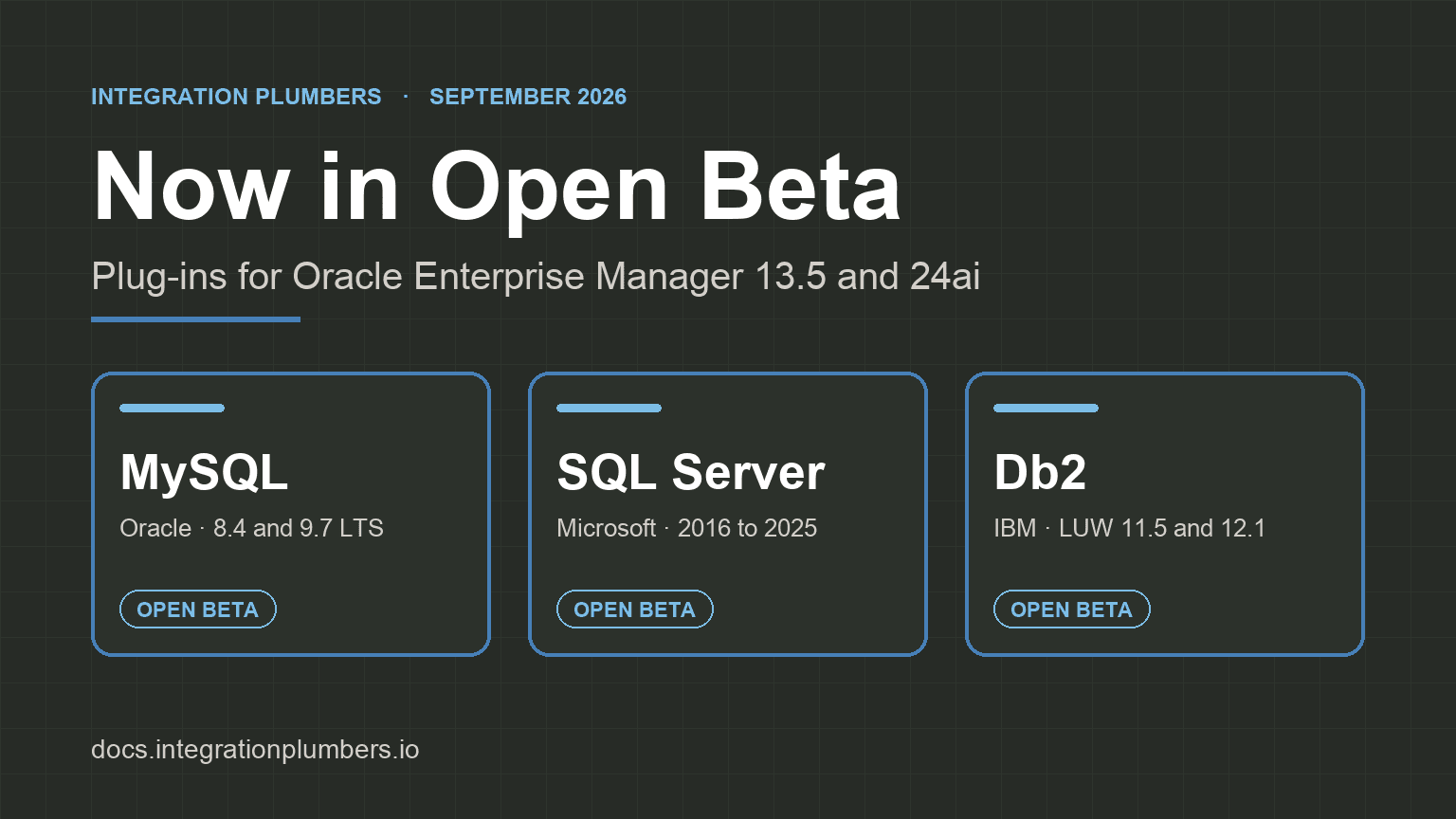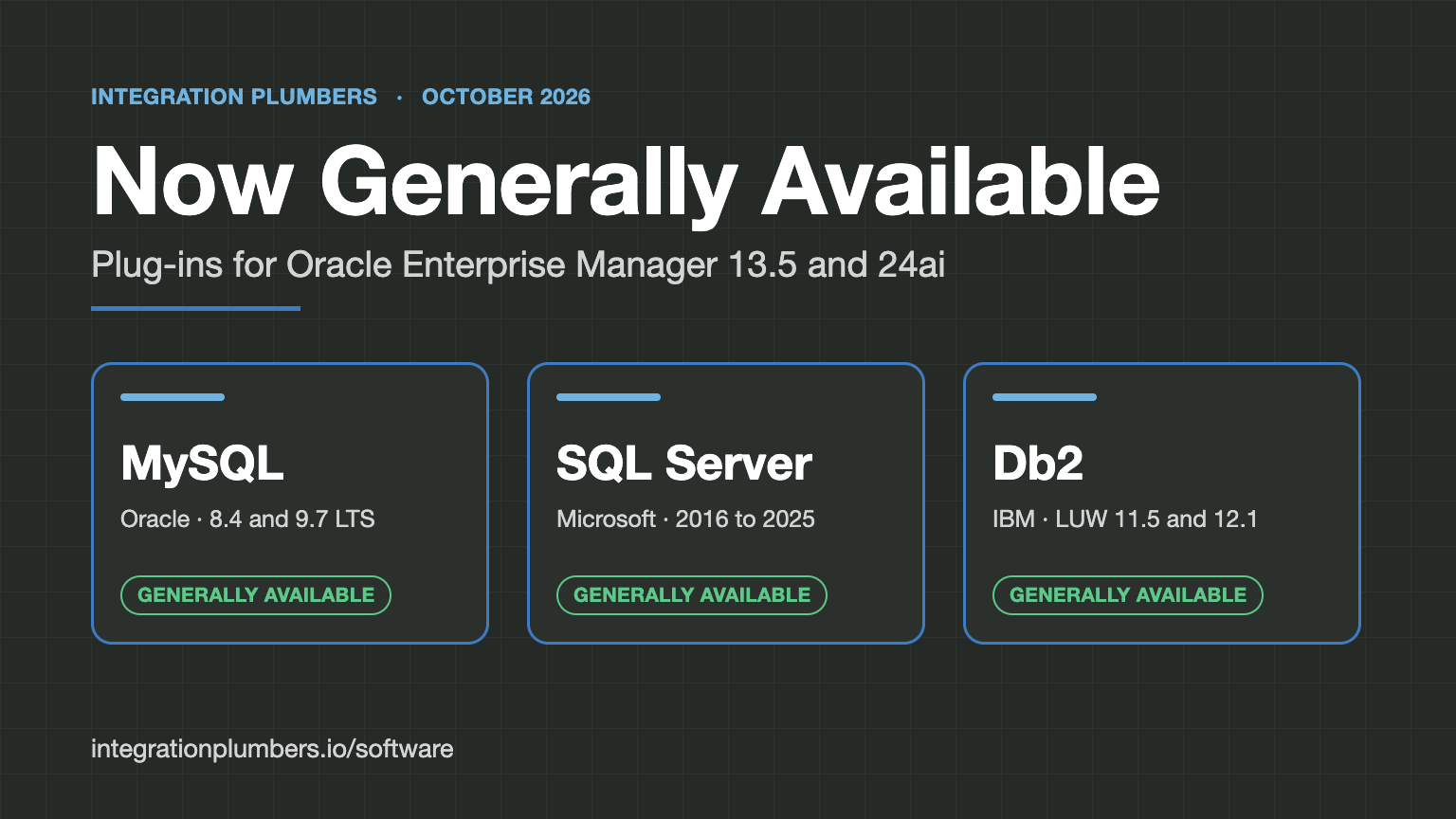
On September 1 we opened the beta for three Oracle Enterprise Manager plug-ins: MySQL, Microsoft SQL Server, and IBM Db2. We asked people to install them on their own Oracle EM against their own estates and tell us what they found. Seven weeks and several beta drops later, all three are generally available.
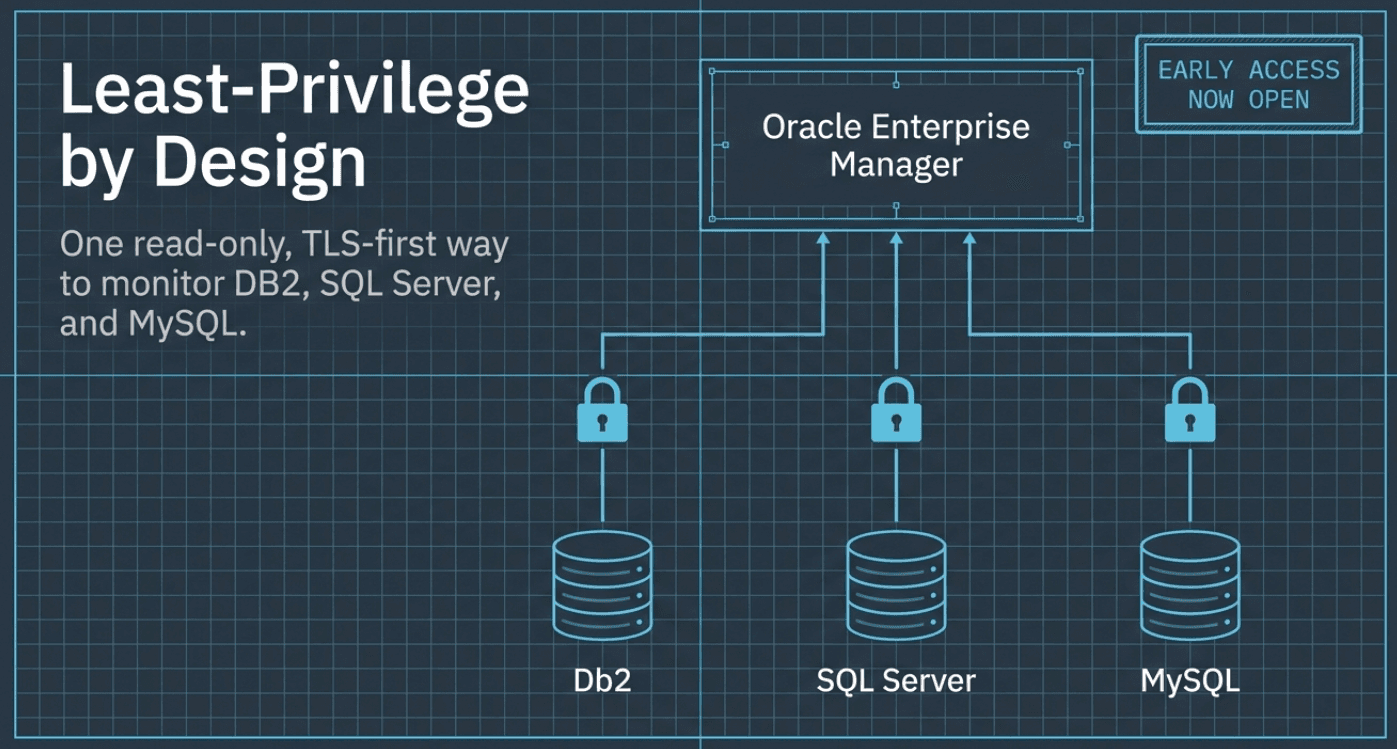
Each plug-in ships as two builds from the same source, one for Oracle EM 24ai and one for 13.5, and each makes its engine a first-class Oracle EM target. You get console pages, default thresholds that raise ordinary Oracle EM incidents, and compliance standards you can associate with no rule authoring. Collection runs from an Oracle EM Management Agent, local or remote, under a read-only monitoring account.
The beta announcement profiled each plug-in in full. This post picks one or two features from each GA release, most of them new or reworked since the beta, and then covers moving from the beta, Oracle AI World, and the SQL Server webinar.
MySQL Plug-in for Oracle Enterprise Manager
GA build: 24.1.10.0.0 for Oracle EM 24ai, 13.5.10.0.0 for Oracle EM 13.5. User guide · Product page
The MySQL plug-in covers three target types: MySQL Database for a single server, MySQL InnoDB Cluster, and MySQL InnoDB ClusterSet. Across them the GA release has 28 console pages, 122 metric groups, 22 default thresholds, and 65 compliance rules in five standards. It is certified on MySQL 8.4 LTS and 9.7 LTS and on Amazon RDS for MySQL 8.4, with 8.0 supported. Every page moved onto one console layout for GA, with a navigation tree down the left and one time-window control per chart page.
Query Analyzer with on-demand EXPLAIN
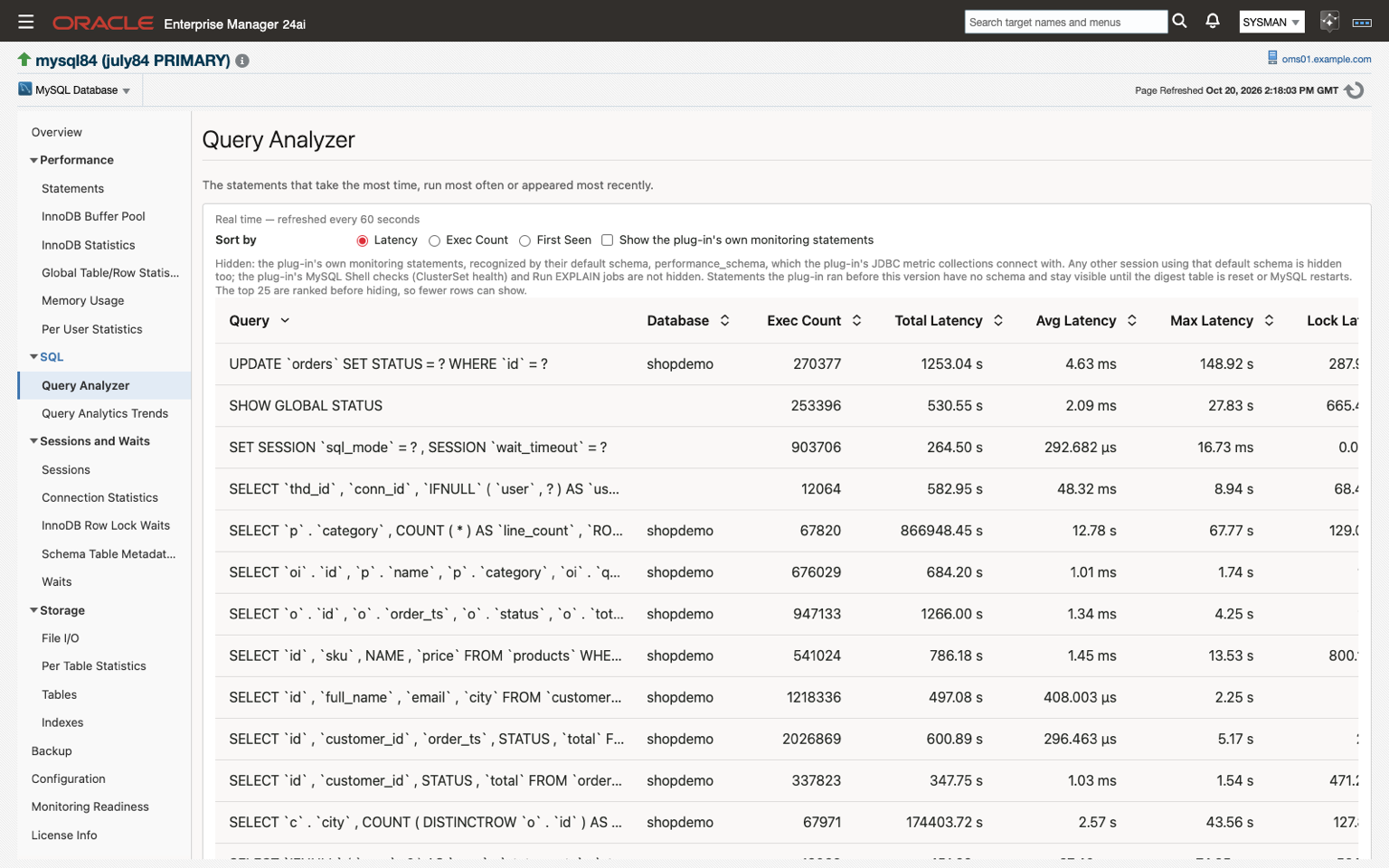
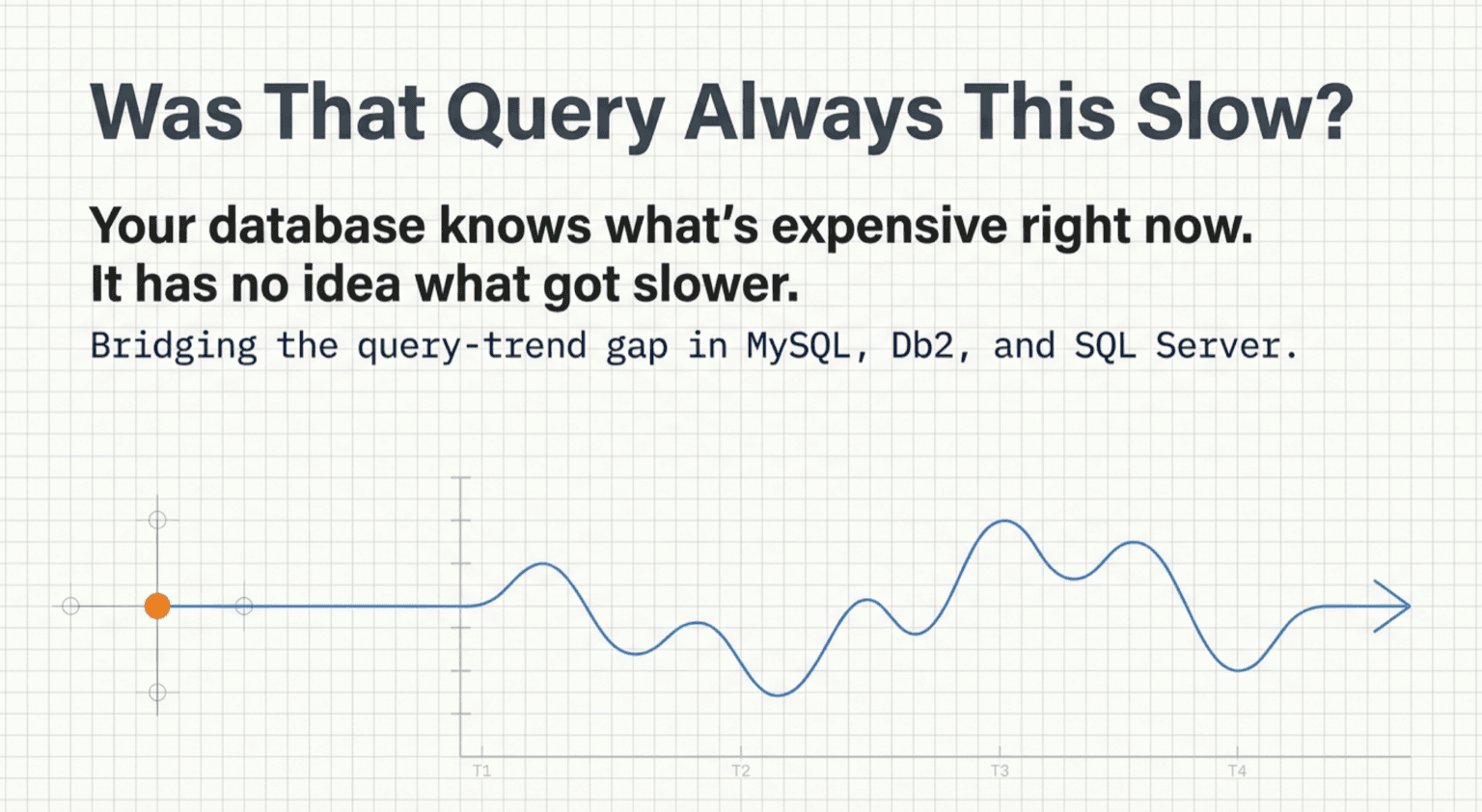
Query Analyzer lists the top 25 statement digests, ranked by latency, execution count, or first seen, and refreshes every 60 seconds. In the GA release the plug-in's own monitoring statements are hidden by default, so the list shows your workload; a checkbox brings them back. Select a statement, fill in its placeholders, and click Explain: the plan comes back from an Oracle EM job and renders on the same page. The Run EXPLAIN job accepts only a statement that EXPLAIN can plan without running it, and a query typed across several lines is explained whole. Beside it, Query Analytics Trends keeps each digest's latency and execution history in the Oracle EM repository, for the last day, week, or month.
InnoDB ClusterSet disaster-recovery promotion readiness
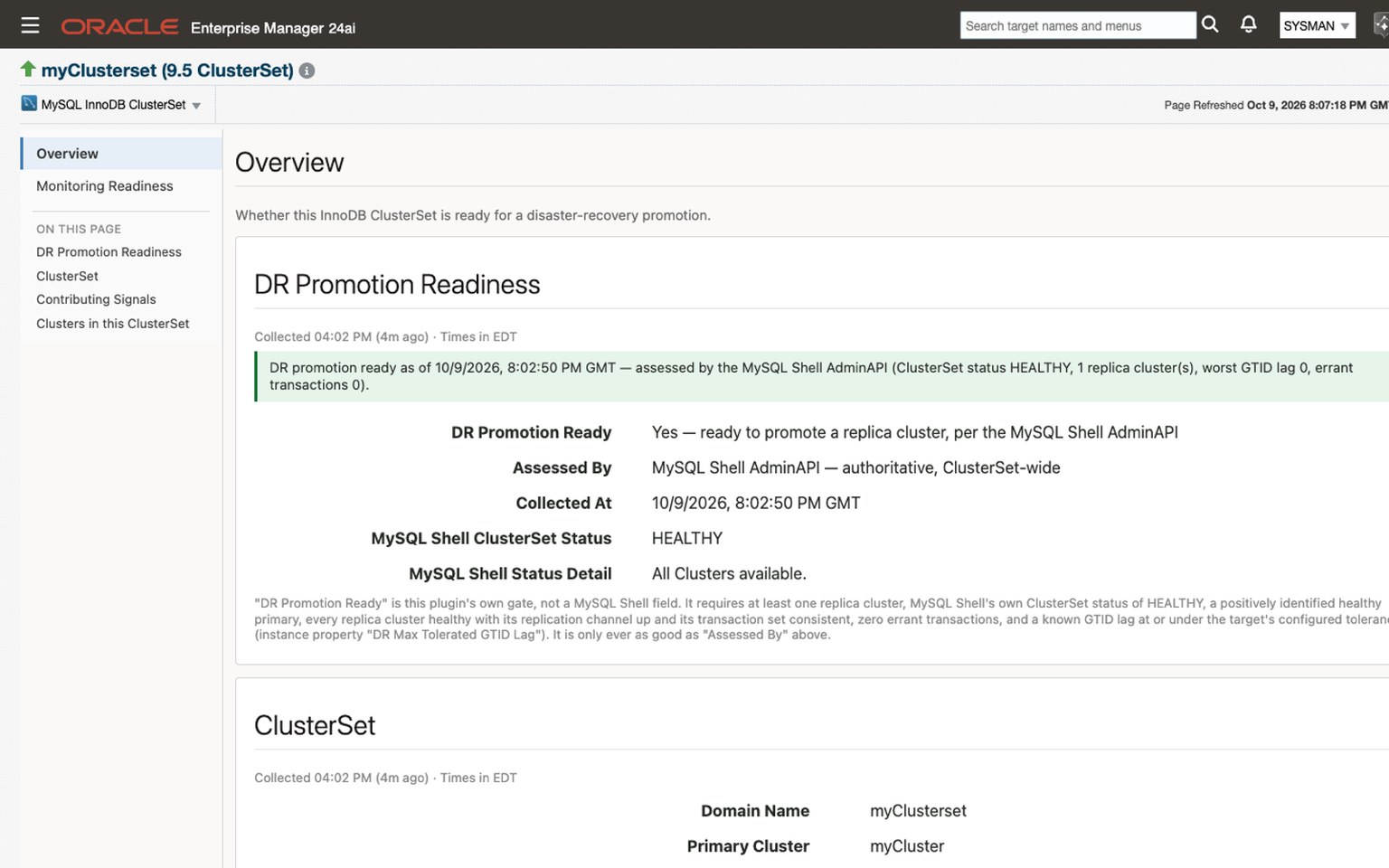
An InnoDB ClusterSet pairs a primary InnoDB Cluster with one or more replica clusters, usually in another data center. During an outage, the question is whether a replica cluster can be promoted without losing transactions. The ClusterSet Overview answers it with a DR Promotion Ready verdict and every signal behind it. The verdict requires at least one replica cluster, a ClusterSet status of HEALTHY from MySQL Shell, a healthy primary, every replica cluster healthy with its replication channel up and its transaction set consistent, no errant transactions, and GTID lag within the tolerance you set on the target. Each verdict names the tool that assessed it. A replication channel that is still reconnecting counts as not ready, so a network partition reads as not promotion-ready even while MySQL Shell's own status reads HEALTHY. A critical alert fires after two consecutive failed checks.
In the GA release, a check that could not run reports "not assessed" rather than a failure. That covers MySQL Shell missing from the agent host and a primary cluster the agent host cannot reach. The DR alert fires only when a check ran and failed, and a separate warning names what stopped the check. MySQL Shell has to be installed on the agent host.
The MySQL JDBC driver, MySQL Connector/J, is licensed separately and does not ship inside the plug-in. Place one copy on each agent host before you deploy; the prerequisites page has the steps.
Microsoft SQL Server Plug-in for Oracle Enterprise Manager
GA build: 24.1.1.0.0 for Oracle EM 24ai, 13.5.1.0.0 for Oracle EM 13.5. User guide · Product page
One plug-in and one target type cover SQL Server 2016 through 2025, hosted on Windows or Linux and monitored from a Linux or Windows agent. The GA release has 78 metric groups, 14 console pages, 20 default thresholds plus the availability condition, 14 compliance rules, and 11 job types, including native T-SQL backup and restore without xp_cmdshell. The Microsoft JDBC driver ships inside the plug-in. AG Failover Readiness, which the beta post covered, is still there, and in GA it adds replication figures and HADR waits over a time range you choose.
Query History and Query Store plan regression
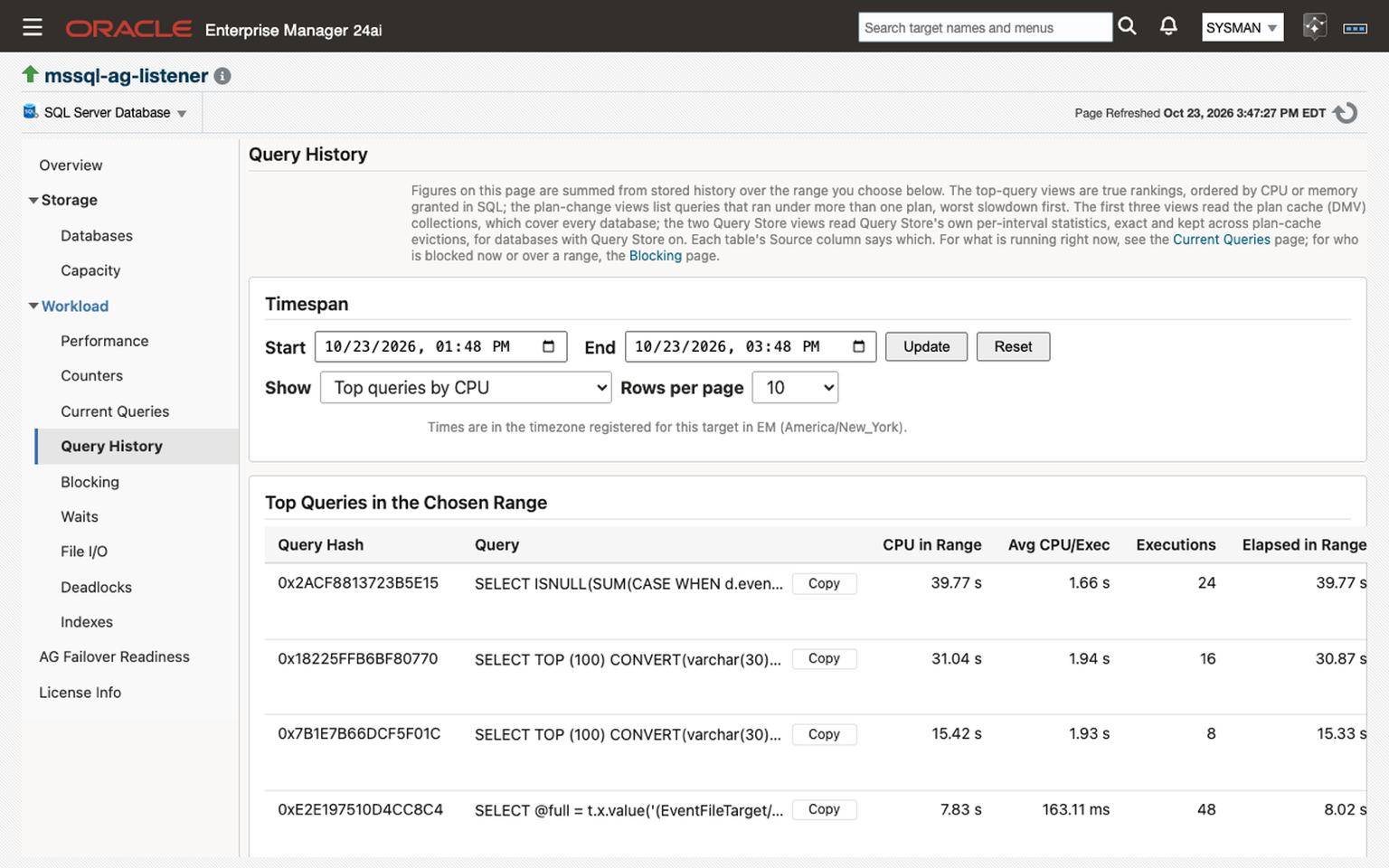
Query History takes a start and end time and ranks the top 100 queries in that range by CPU or by memory granted, or lists the queries that ran under more than one plan, worst slowdown first. On databases with Query Store turned on, two more views read Query Store's own per-interval statistics, which survive plan-cache evictions and restarts. A Query Store Plan Regression metric compares each query's current plan with its previous one and ships with a default alert on the CPU ratio, a warning at 2 and critical at 5. Show plan on a row fetches that query's execution plan as a .sqlplan file, which SQL Server Management Studio opens as a graphical plan. Blocking, Waits, and File I/O, all new pages since the beta, take the same kind of time range.
Security Update Status
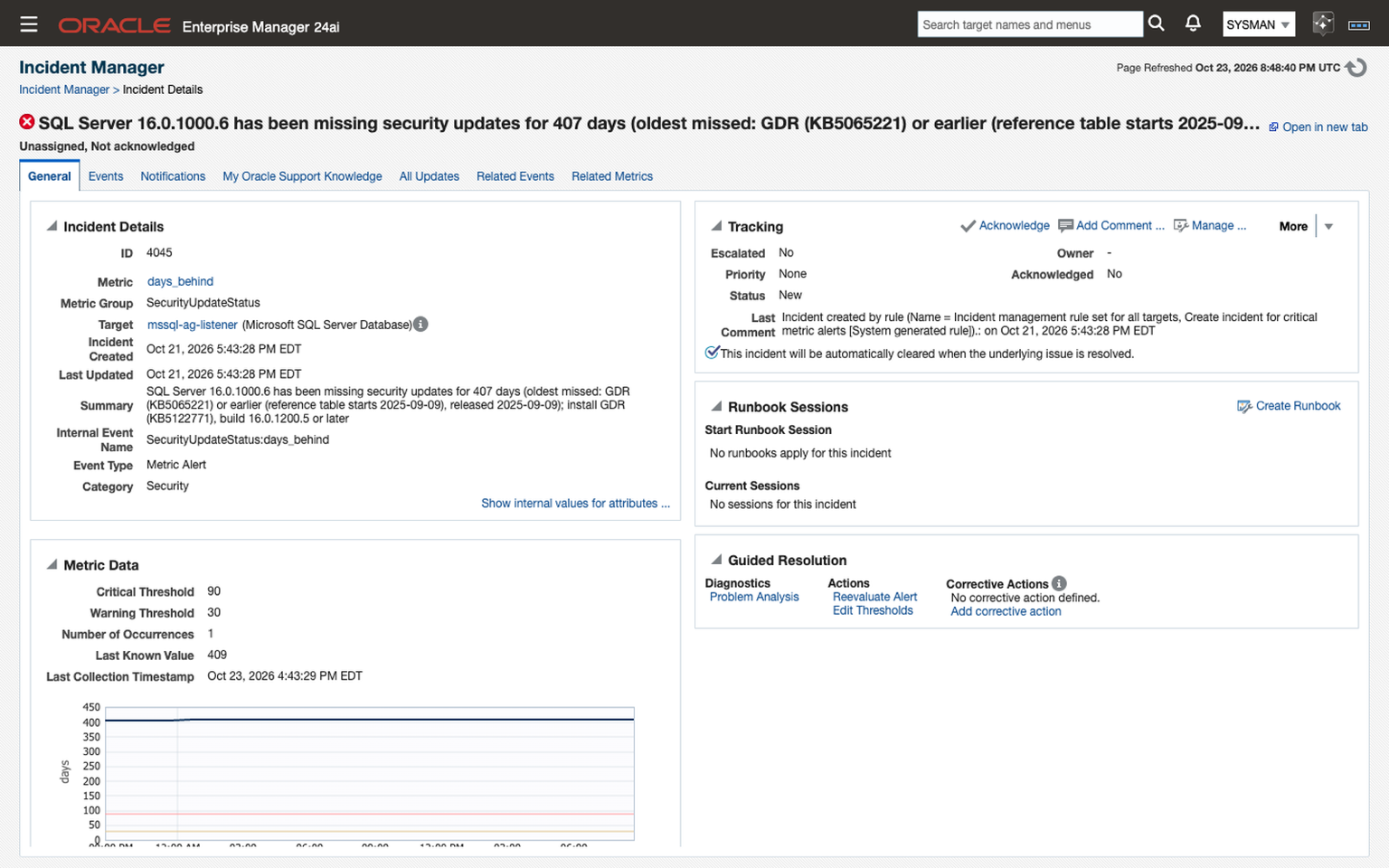
Security Update Status compares each instance's build with a reference table of Microsoft's SQL Server security updates that ships with the plug-in, on the instance's own servicing path, GDR or cumulative update. It reports the latest security update for that path, the build that carries it, and how many days behind the instance is, counted from the oldest security update it is missing. Thresholds ship at 30 days for a warning and 90 for critical, so an unpatched instance raises an incident through the same rules and notifications as the rest of your estate. The screenshot shows one: a SQL Server 2022 RTM build 407 days behind, with the GDR build to install.
If you want to see the SQL Server plug-in working before you install it, join the webinar on November 10.
IBM Db2 Plug-in for Oracle Enterprise Manager
GA build: 24.1.2.0.0 for Oracle EM 24ai, 13.5.3.0.0 for Oracle EM 13.5. User guide · Product page
The Db2 console has grown from three native pages in the beta to 17 in GA, among them Sessions, Locks, Waits, Tables, Indexes, Transaction Log, and Monitoring Readiness. The GA release also adds an optional IBM Db2 Instance target type, support for partitioned (DPF) databases, and automatic discovery of local databases on Linux and Windows agent hosts. The plug-in collects 75+ metric groups, ships more than 50 default thresholds turned on, and evaluates 29 compliance rules in three standards. It is certified on Db2 12.1 and 11.5 for Linux, UNIX, and Windows.
HADR takeover readiness
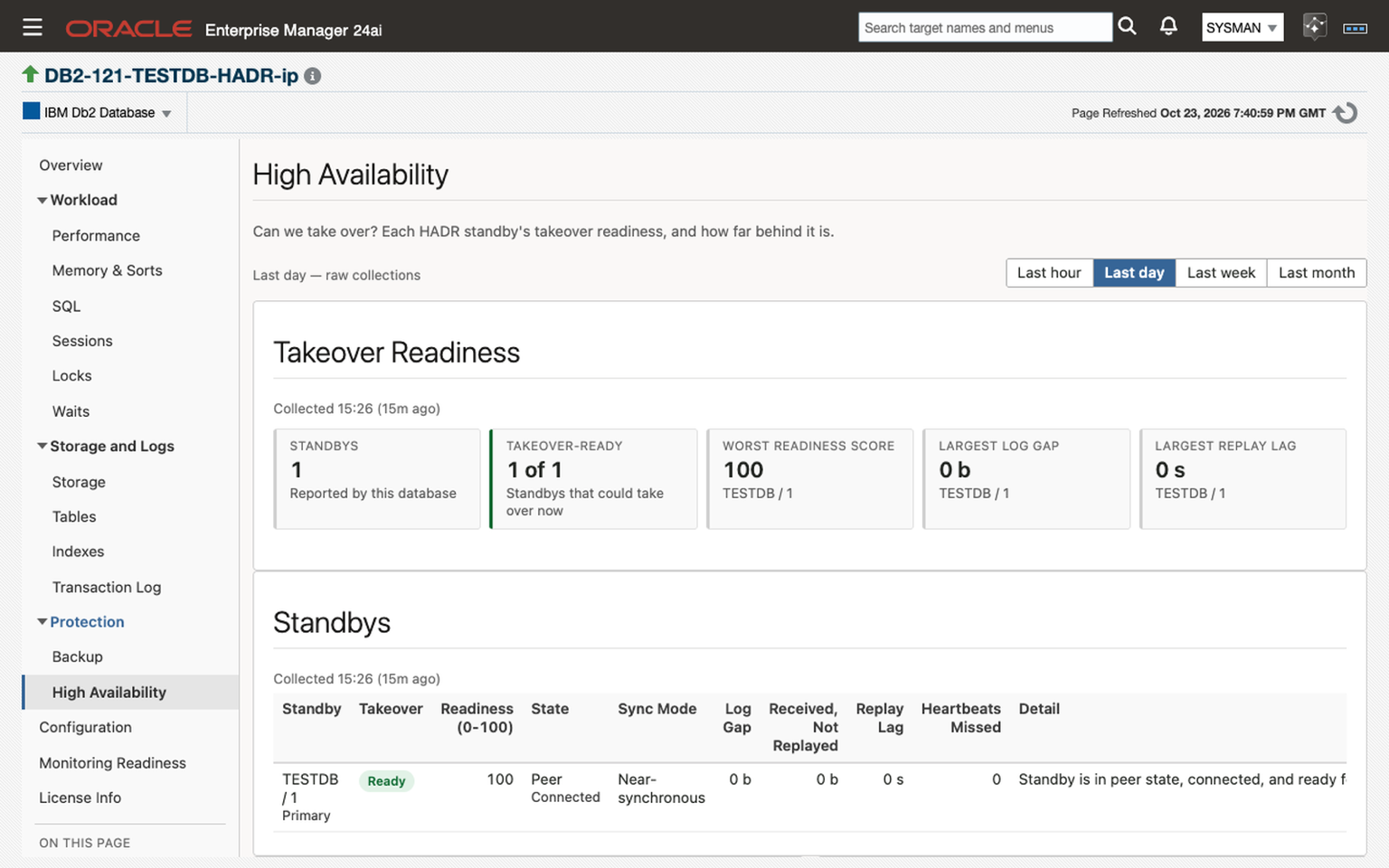
The High Availability page answers the question a DBA gets paged with: can the standby take over right now? Every 5 minutes, each HADR standby gets a verdict, a 0–100 readiness score, and the reason in plain words, backed by log gap, replay gap, and replay lag columns. Shipped alerts fire when a standby is not ready, when a gap passes 10 MB or 100 MB, and when replay lag passes 60 or 300 seconds. A standby can be monitored as its own target and reads Up. With HADR alternate servers set, a target follows the primary through a takeover and back.
Blocking chains, down to the root blocker
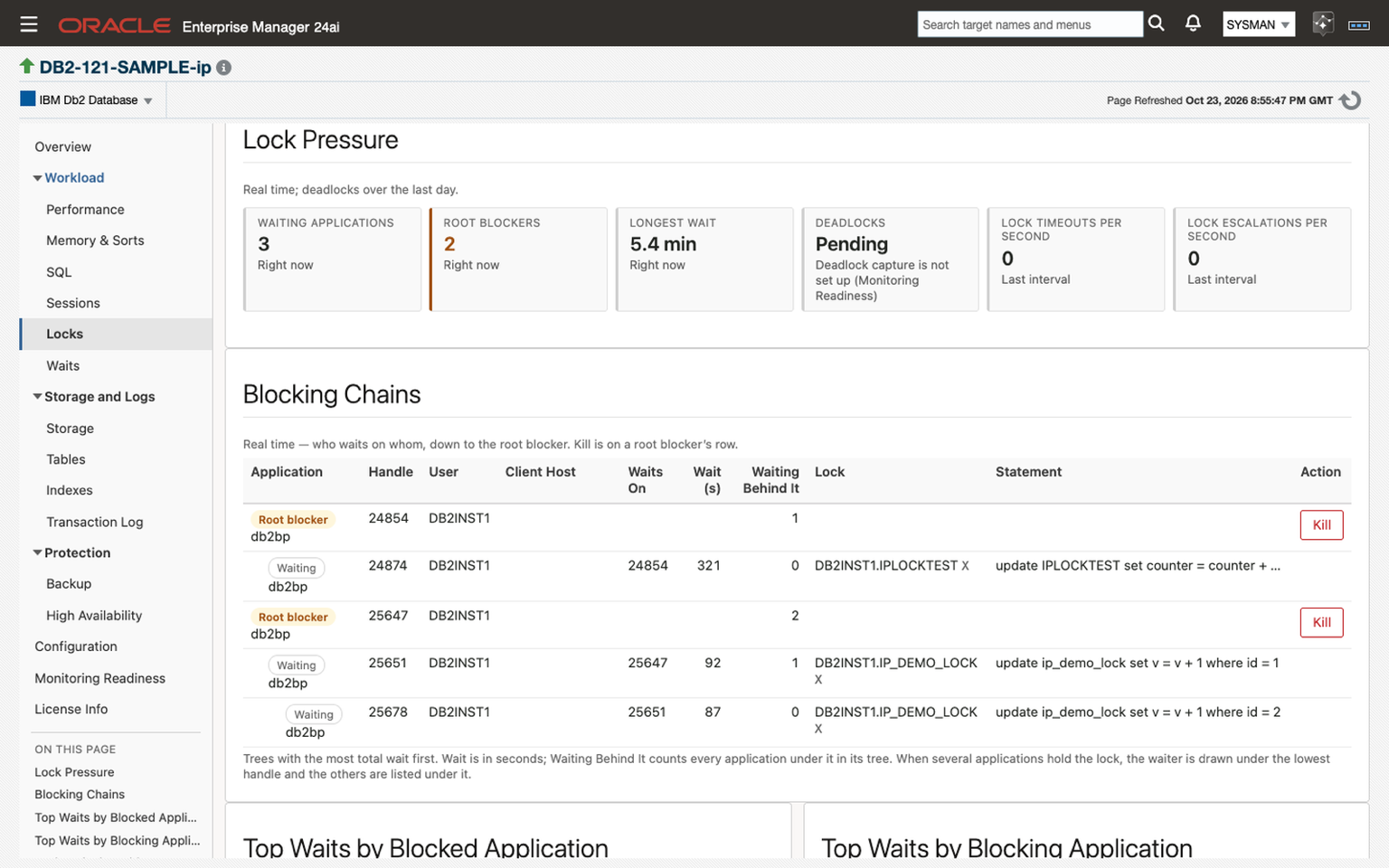
The Locks page draws who waits on whom as trees that start at the root blocker, marks applications waiting on each other in a cycle, and lists the past day's deadlocks once deadlock capture is set up. Sessions lists the 25 sessions using the most CPU in their current unit of work, including those sitting idle in an open transaction. Both pages refresh every 30 seconds, 1 minute, or 5 minutes if you turn auto-refresh on. With the agent on the Db2 host, a Kill button on a session or a root blocker forces that application off after a confirmation.
And PostgreSQL
The fourth generally available plug-in on the Software page is the PostgreSQL Plug-in, now at 24.1.3 for Oracle EM 24ai and 13.5.17 for 13.5. It covers PostgreSQL 14 through 18 and has five advisors: Plan Analysis and the Plan Drift Advisor, Workload History, and index and vacuum recommendations that alert through Oracle EM. The four-part series on those advisors walks through each one.
Moving from the Open Beta
Thank you to everyone who ran a beta and sent us tickets.
See them at Oracle AI World: Booth #7024, October 25–28
We are at Oracle AI World from October 25 to 28, at Booth #7024, as we launch the new suite of Oracle EM plug-ins. Christian Mundwiler and I are running live demonstrations of all three new plug-ins in the Oracle EM console. Stop by and bring the questions you have about your own estate: MySQL, SQL Server, Db2, or PostgreSQL.
Webinar: Introducing the SQL Server Plug-in, November 10
On Tuesday, November 10, 2026, at 1:00 PM ET, we are running a 60-minute live walkthrough of the SQL Server plug-in's general release, hosted by me and presented by Christian Mundwiler. It covers SQL Server 2016 through 2025 monitored and managed from the Oracle EM console: Always On failover readiness, Query History, and backups, restores, and failovers run as Oracle EM jobs, with live Q&A at the end. Register for the webinar; registrants get the recording and slides whether or not they attend live.
How to get started
- Request a trial for the plug-in you want: MySQL, SQL Server, Db2, or PostgreSQL.
- Read the Getting Started chapter of the user guide: MySQL, SQL Server, or Db2. Each lists the supported versions, the monitoring account to create, and the known limitations of the release.
- Install it the standard way. Create the read-only monitoring account, import the archive that matches your Oracle EM release, deploy to the management server and then to the agents, and add targets with your license key.
- Price it with Build a Quote, which takes an instance count for each plug-in on one quote.
Questions or problems go to helpdesk@integrationplumbers.io; every email opens a ticket you can follow in the customer portal.
Can I upgrade my Open Beta installation to the GA release?+
No. Each beta shipped as a separate plug-in with its own target types, so the GA release is a fresh install. The two can run on the same Oracle EM at the same time, which lets you add GA targets, confirm they collect, and then undeploy the beta. Nothing the beta wrote to the repository carries over, including metric history, incidents, and tuned thresholds. Beta license keys stop working on October 31, 2026.
Which build do I install?+
The one that matches your Oracle EM release. Each plug-in ships one archive for Oracle EM 24ai and one for 13.5, built from the same source with the same features. Oracle EM checks a plug-in against the toolkit it was built with, so the 24ai build does not import into 13.5 or the reverse.
Do the plug-ins work on Oracle EM 13.5?+
Yes, with one 13.5 build per plug-in. Oracle EM 24ai is the reference platform for all three. The MySQL 13.5 build is certified, and the 13.5 line ships through GA Update 1. The SQL Server 13.5 build is verified for import, deployment, collection, and console pages; the 24ai build is the one exercised across every supported SQL Server version. The Db2 plug-in supports 13.5 and 24ai, and its six alert runbooks require 24ai.
Do I need to install anything on the database host?+
No. Collection runs from an Oracle EM Management Agent, which can be on the database host or remote, using a read-only monitoring account. The SQL Server and Db2 plug-ins bundle their JDBC drivers. For MySQL you place MySQL Connector/J on each agent host, and MySQL Shell too if you monitor an InnoDB ClusterSet. A few Db2 features need the agent on the Db2 host: local admin jobs, the Kill buttons, and diagnostic-log alerting.
Can an AI assistant read the data these plug-ins collect?+
On Oracle EM 24ai Release Update 12 and later, Oracle EM's own MCP server gives AI clients read access to the data in the repository. The MySQL and SQL Server plug-ins are validated with it, and their metric labels state what each value means and carry units, so a client can interpret the data without the documentation. Both user guides have a chapter on what an assistant sees and where the boundary is.
How are the plug-ins priced?+
Per instance, on a one-year or three-year term. Build a Quote takes an instance count for each plug-in and produces one quote, and each product page has a trial request form if you want to evaluate first.
Where this fits
The beta was the part of the work a lab cannot do on its own: other people's estates, versions, and agent layouts. With it closed, all four of our Oracle EM database plug-ins are generally available, and each one puts its engine in the same console, incident rules, and compliance results as your Oracle Database targets.
- MySQL Plug-in → integrationplumbers.io/mysql-plugin · user guide
- SQL Server Plug-in → integrationplumbers.io/mssql-plugin · user guide
- Db2 Plug-in → integrationplumbers.io/db2-plugin · user guide
- All plug-ins → integrationplumbers.io/software
- SQL Server webinar, November 10 → register