Software
Kubecost Plug-in
for Grafana
Cost by cluster, namespace and team, idle and unallocated cost, the cloud bill inside and outside the cluster, and Kubecost's savings recommendations. The plug-in only reads from Kubecost, and nothing is installed in the cluster.
5
Dashboards
80+
Metrics
12.4+
Grafana on-prem
Supported
Grafana Cloud
Dashboards
Five dashboards, each with a data source selector. One data source is one Kubecost install, with every cluster it covers.
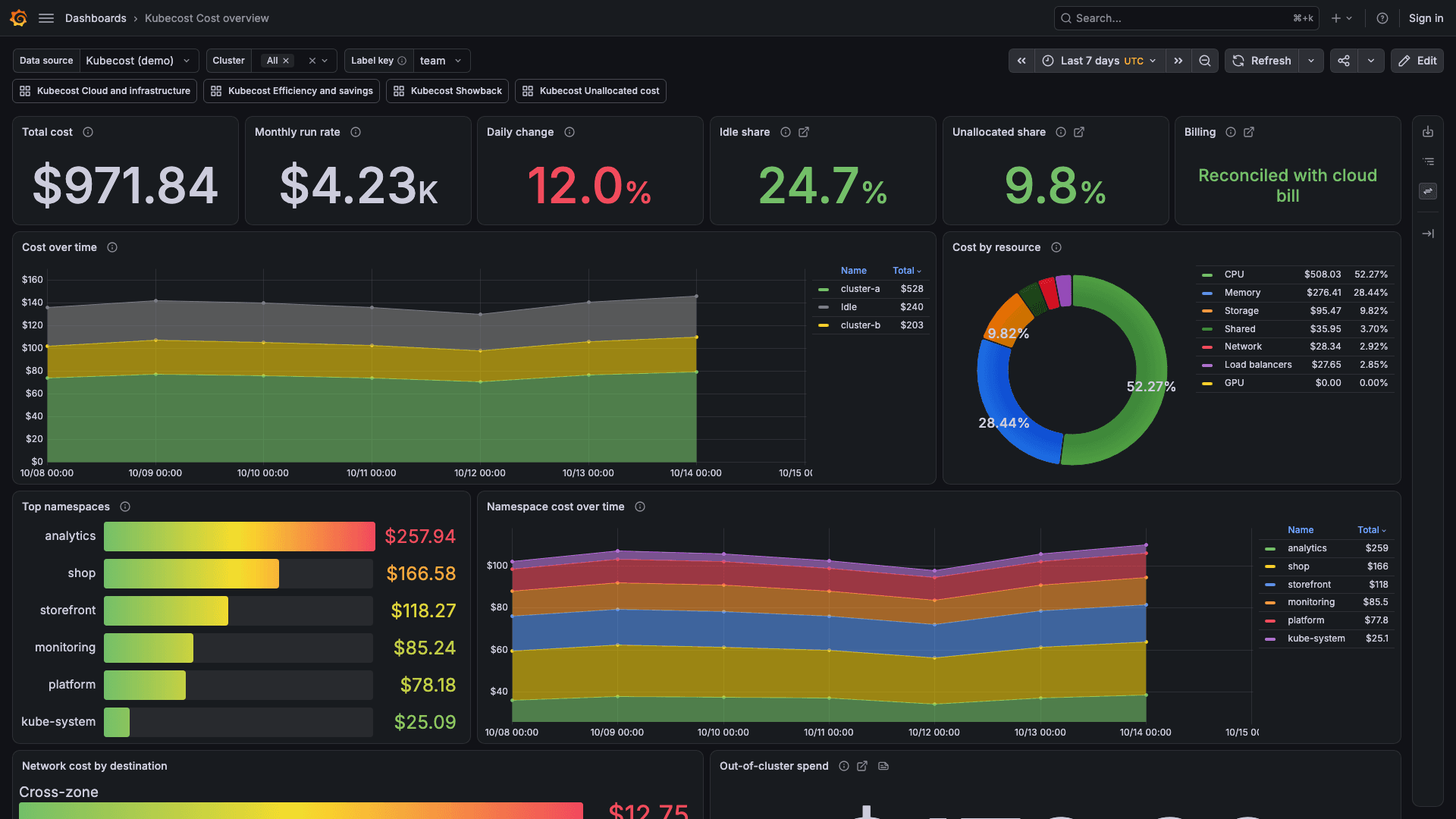
Cost overview
Where the money goes, and whether it is rising.
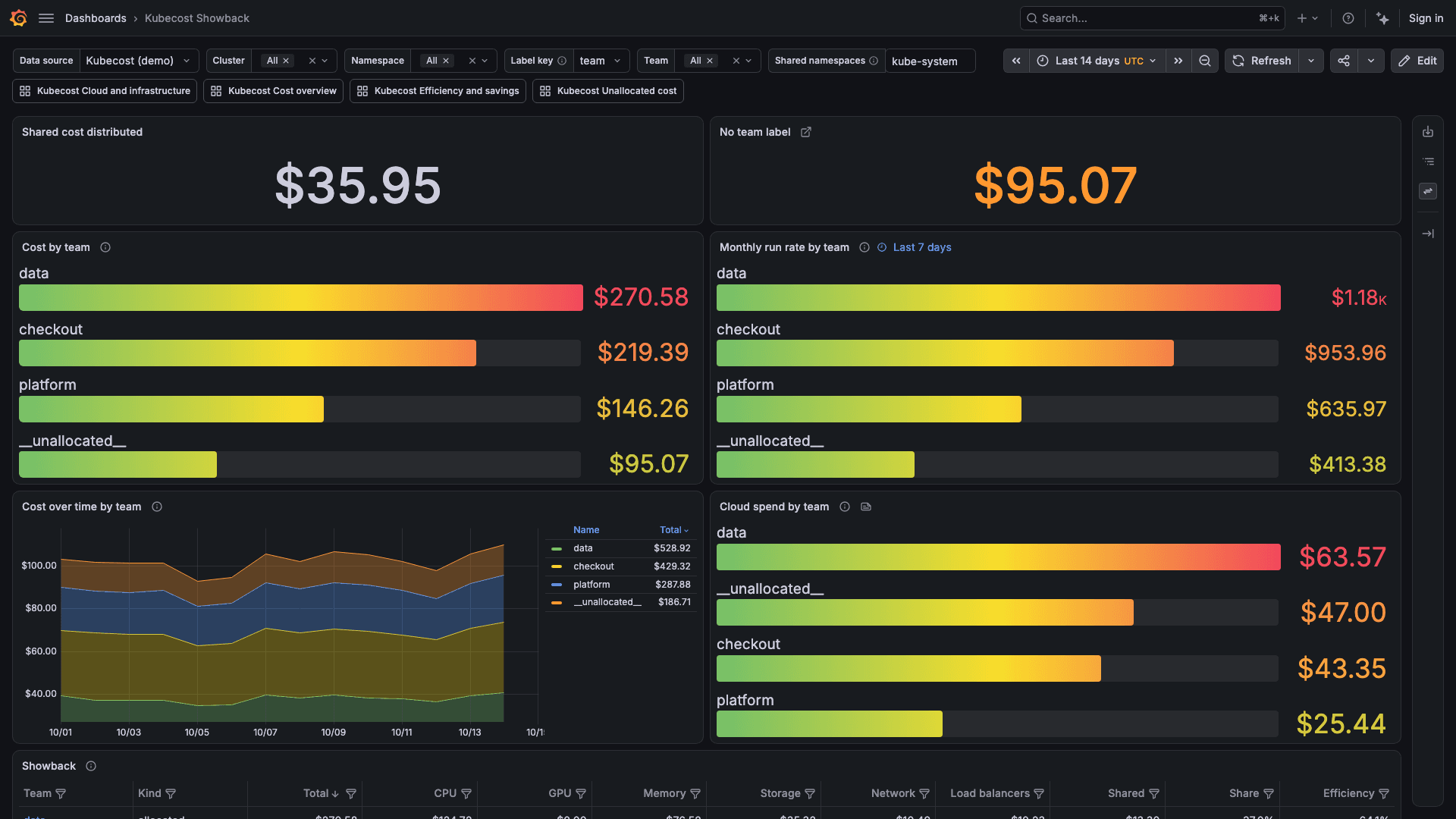
Showback
What each team costs, with idle and shared cost spread across the teams.
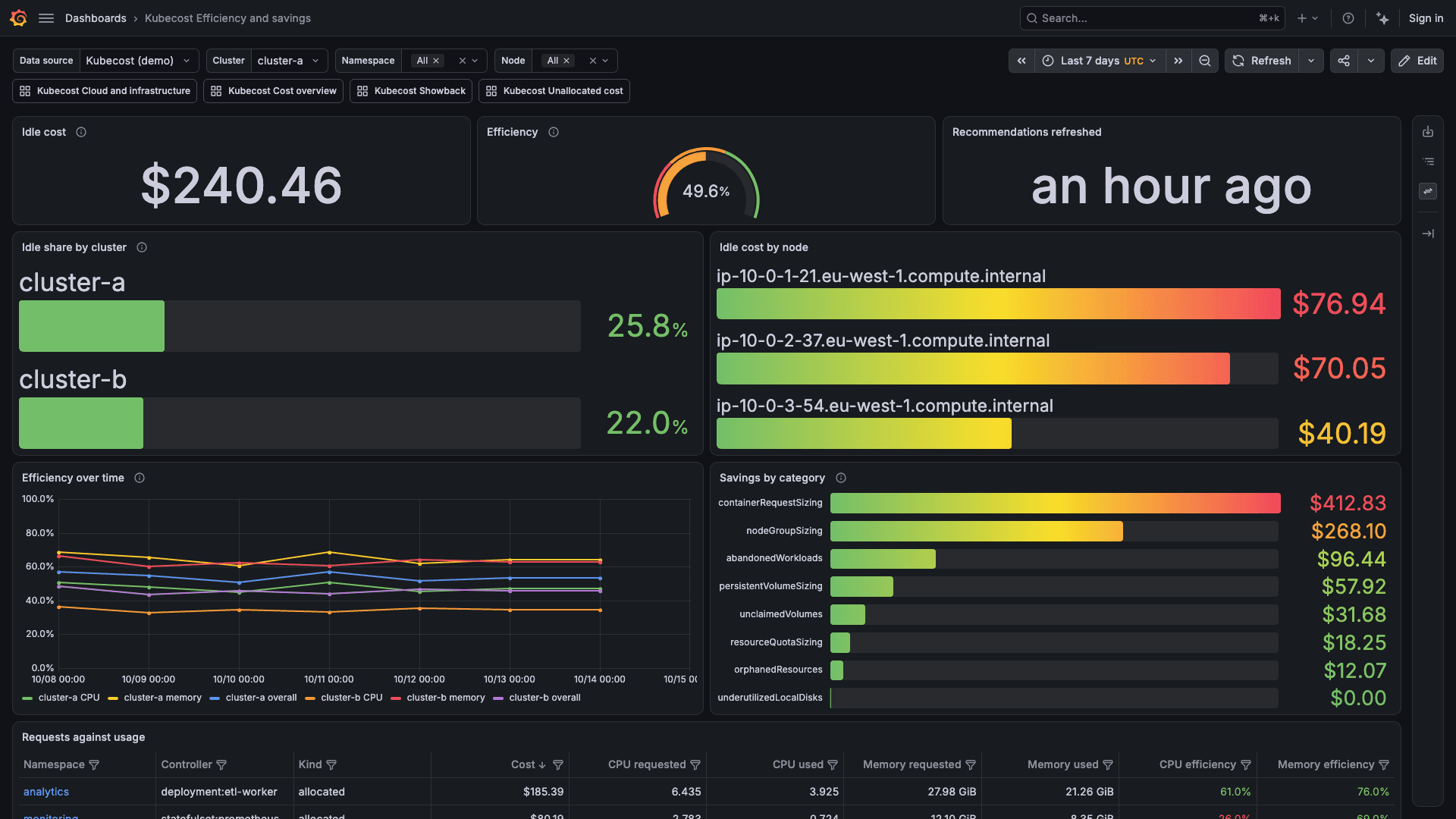
Efficiency and savings
Capacity paid for and not used, and Kubecost's recommendations.
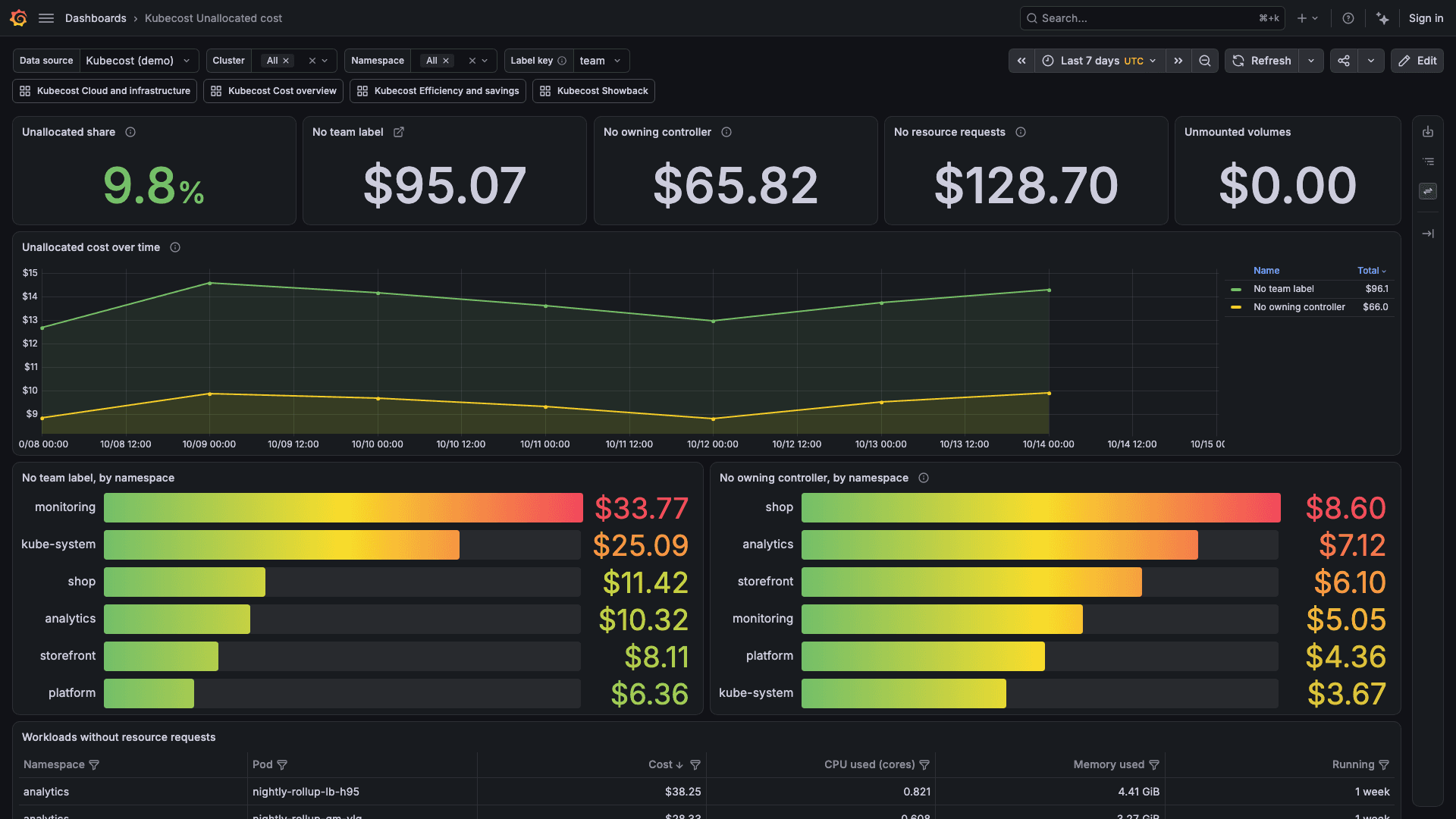
Unallocated cost
Cost with no team label, no owning controller or no resource requests.
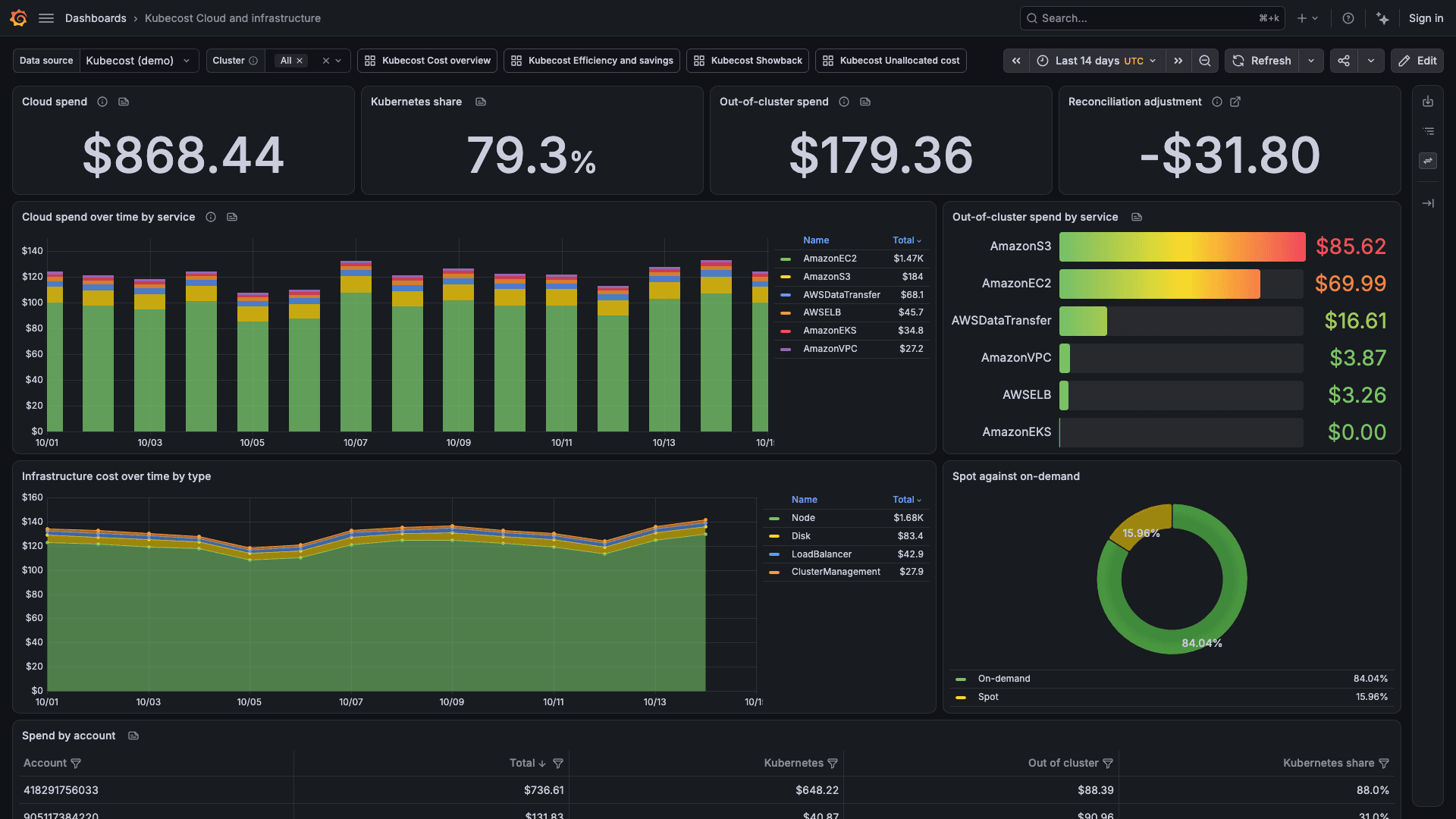
Cloud and infrastructure
The cloud bill inside and outside the cluster, and nodes, disks and load balancers.
Capabilities
A query editor and alert rules on top of the dashboards.
Six alert rules
Cluster spend rising, idle share high, unallocated share high, cloud billing not connected, projected monthly cost above budget, and cost data stopped arriving. They ship as a provisioning file in the plug-in.
Query editor
Allocation, cost shares, assets, cloud costs, billing status, savings and Kubecost's reports, as time series or tables.
Idle and shared cost
Choose where idle cost goes, spread shared namespaces across teams, and reconcile prices to the connected cloud bill.
Template variables
List clusters, namespaces, controllers, nodes, label keys and label values for dashboards you build.
Demo mode
Try the plug-in without Kubecost. Demo mode serves sample data for two clusters and sends nothing over the network.
Private networks
When Grafana cannot reach Kubecost directly, connect through Grafana's secure SOCKS proxy or Private Data Source Connect.
Requirements
What the plug-in needs to run.
Grafana
Grafana Cloud, or Grafana 12.4 or later on-prem.
Kubecost
Kubecost 3.0.5 or later, with its frontend Service on port 9090, or its ingress, reachable from Grafana.
Cloud billing
A cloud billing integration connected in Kubecost, for the cloud bill, out-of-cluster spend and prices reconciled against the bill.
How It Works
Install from the Grafana Marketplace
Add the Kubecost plug-in to your Grafana.
Add the data source
Enter the Kubecost frontend's address and the credential Kubecost or its proxy asks for, if any. Save & test reports the Kubecost version and whether a cloud bill is connected.
Import the dashboards
Import each dashboard from the data source's Dashboards page, starting with Cost overview.
Get the Kubecost plug-in
Purchased through Grafana Labs on the Grafana Marketplace.