Software
NVIDIA DCGM Plug-in
for Grafana
Health, reliability, utilization and Kubernetes allocation for NVIDIA data center GPUs. The plug-in reads the metrics NVIDIA's dcgm-exporter publishes from a Prometheus data source you already have in Grafana.
5
Pages
50
Metrics
12.4+
Grafana on-prem
Supported
Grafana Cloud
Pages
Five pages in the app. Each checks which fields the store holds, and a panel whose field is not collected names the field to add.
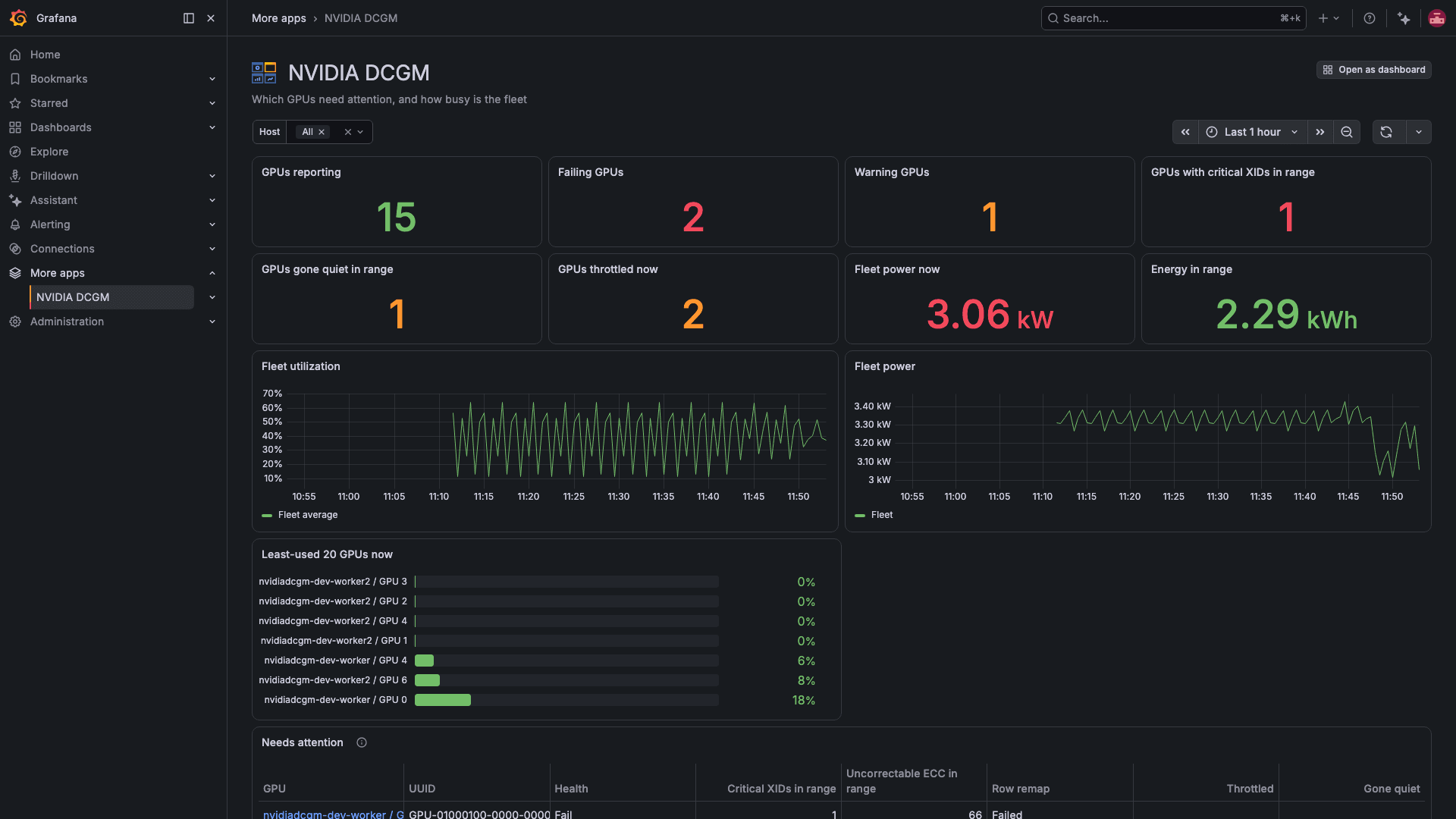
Fleet overview
Which GPUs need attention, and how busy the fleet is.
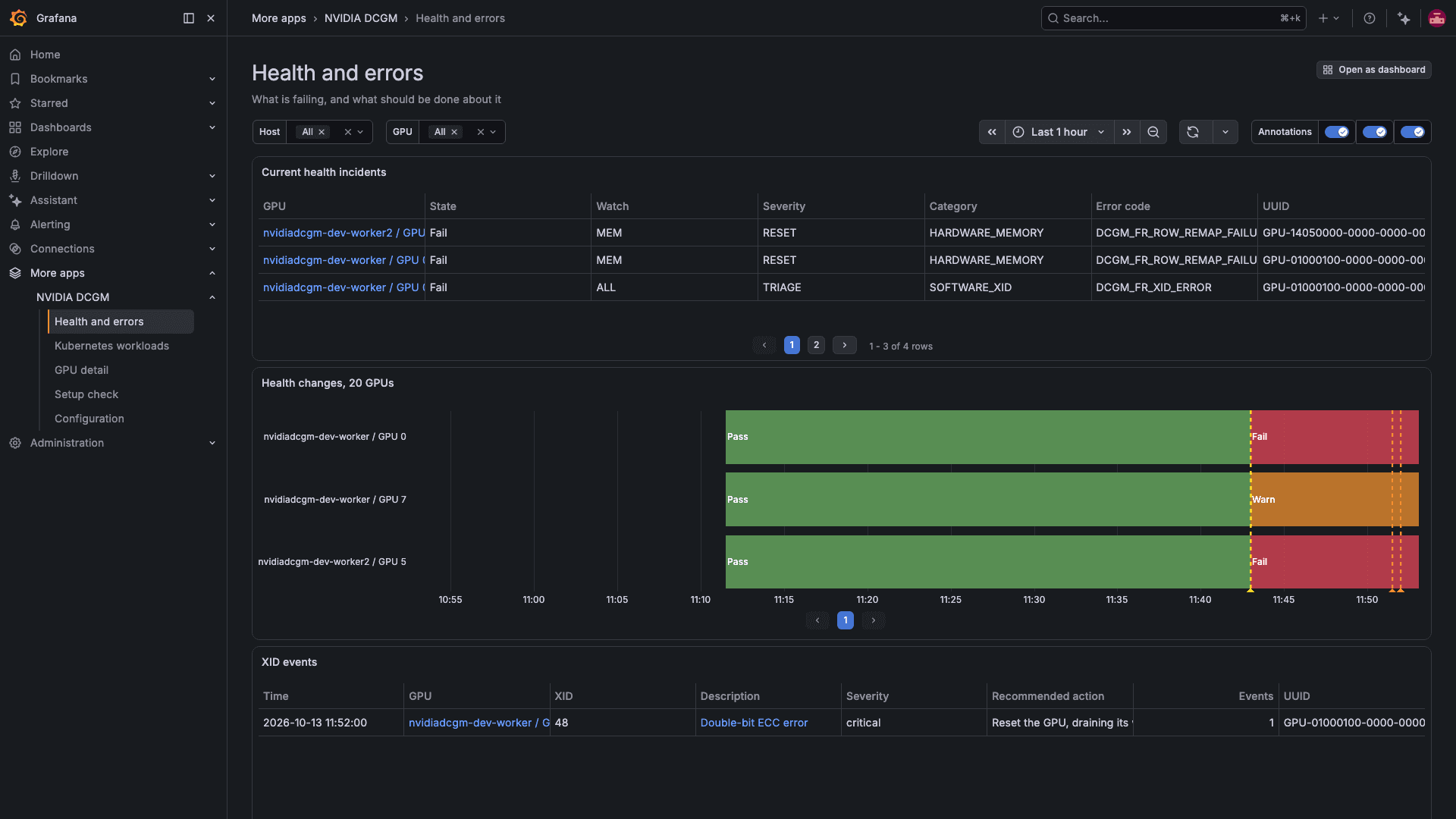
Health and errors
What is failing, and what to do about it.
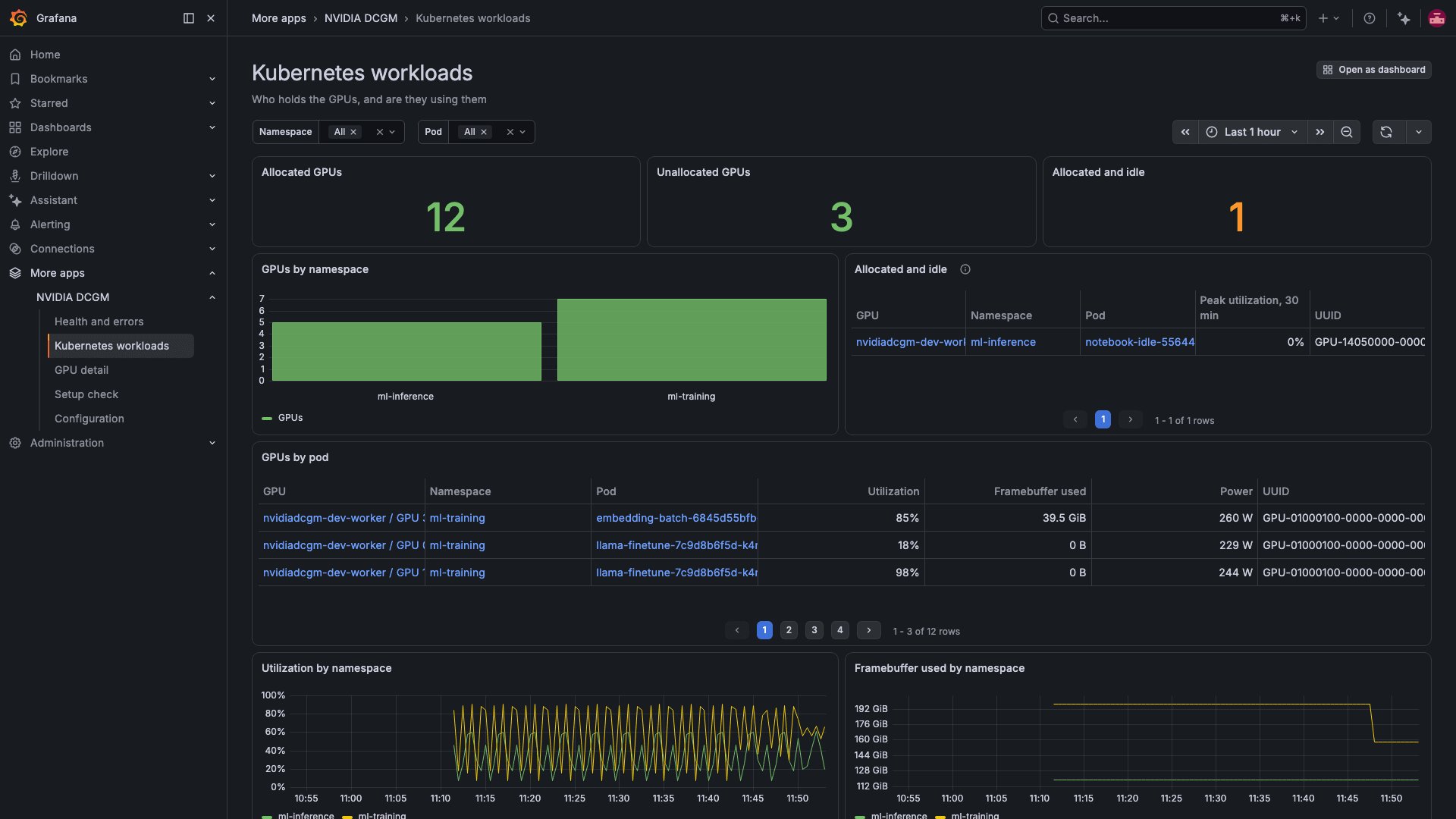
Kubernetes workloads
Which pods hold the GPUs, and whether they use them.
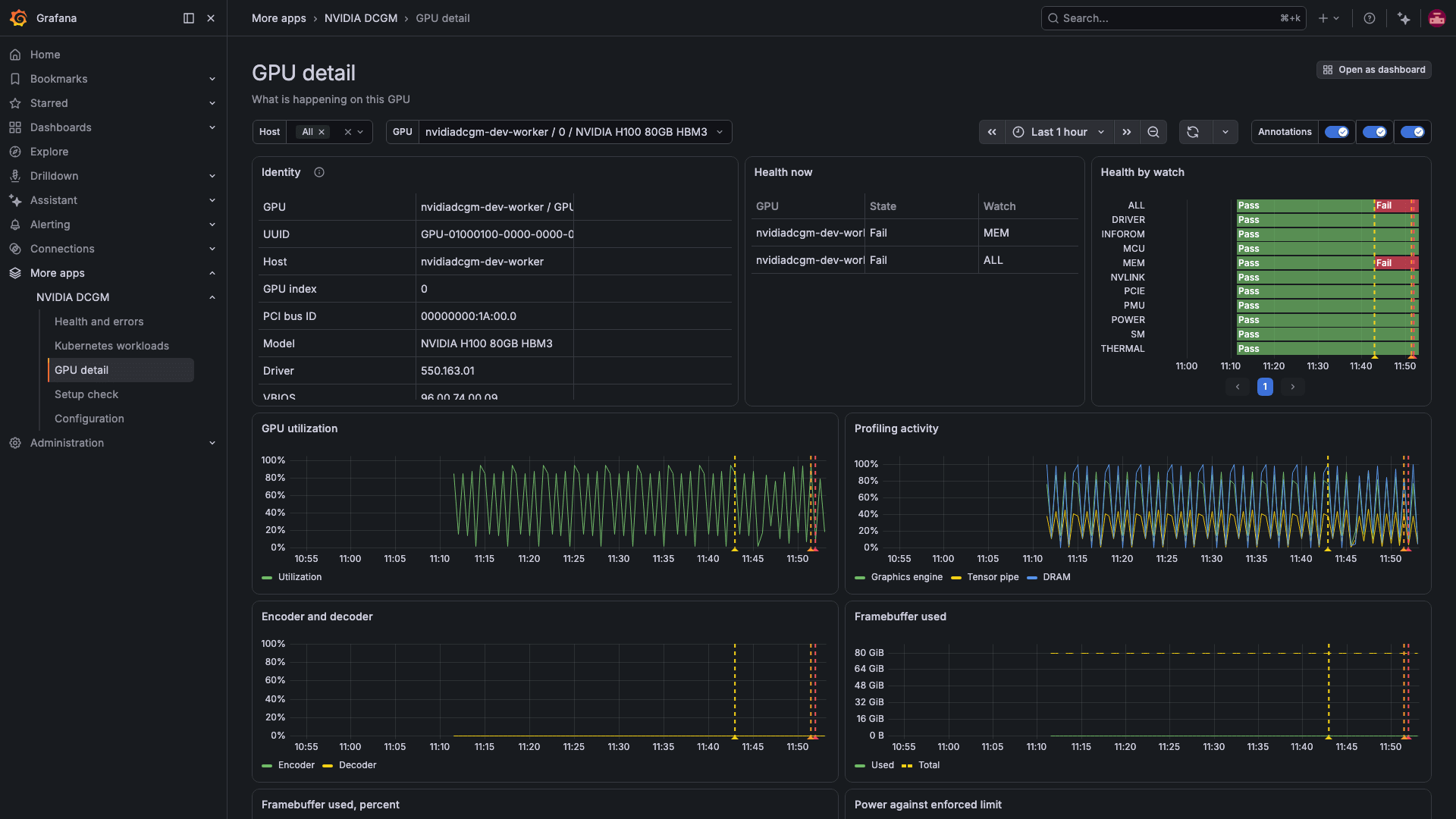
GPU detail
One GPU in depth.
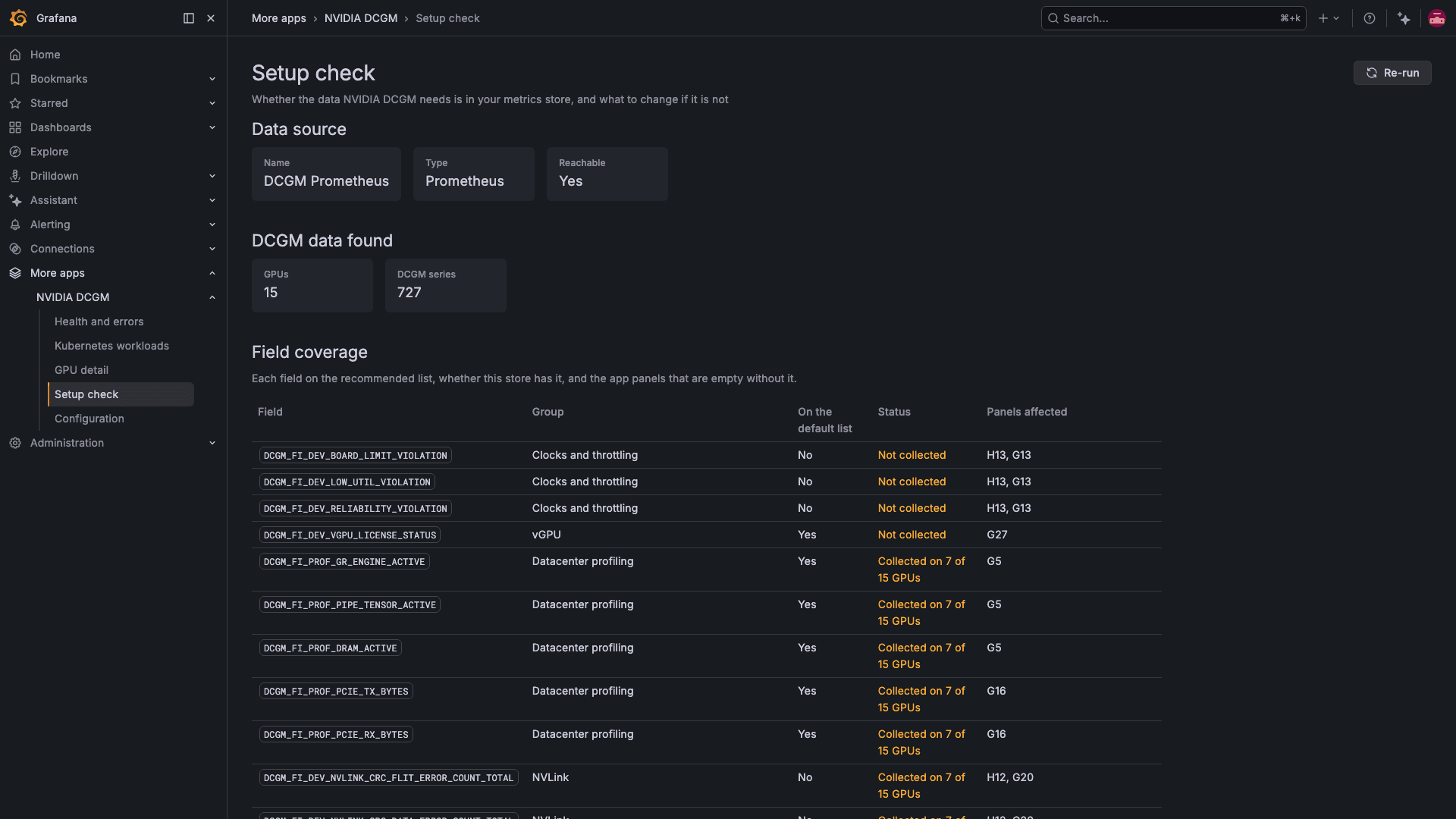
Setup check
Which fields and labels the store holds, and the field list to change.
Capabilities
Alert rules, dashboards and an XID catalog alongside the pages.
Thirteen alert rules
Checked every minute, covering temperature, XIDs, ECC and row remap errors, NVLink, throttling, idle allocated GPUs and GPUs that stop reporting. Download them from the app's Configuration page.
XID catalog
XID tables add a description, severity and recommended action to each code, from a catalog bundled with the app.
Four dashboards
Fleet overview, Health and errors, Kubernetes workloads and GPU detail, each carrying the panels of the page with the same name.
Setup check
Lists the DCGM fields and labels the store holds and offers the recommended field list, as a CSV and as a GPU Operator ConfigMap.
Kubernetes attribution
Reads the pod and namespace labels the GPU Operator adds, to show which workloads hold each GPU.
Common collection paths
Reads the labels from the GPU Operator, Grafana's Kubernetes Monitoring chart, and the managed Prometheus services on Google Cloud, AWS and Azure.
Requirements
What the plug-in needs to run.
Grafana
Grafana Cloud, or Grafana 12.4 or later on-prem.
Prometheus data source
A Prometheus data source over a store that holds dcgm-exporter metrics, such as Prometheus, Mimir or Grafana Cloud Metrics.
dcgm-exporter
Version 4.8.3 or later is recommended. With older releases, the setup check names the panels they leave empty.
How It Works
Install from the Grafana Marketplace
Add the NVIDIA DCGM app to your Grafana.
Choose the data source
Enable the app and choose the Prometheus data source that holds your dcgm-exporter metrics.
Run the setup check
See which fields the store holds and apply the recommended field list, then open Fleet overview. Download the alert rules from the app's Configuration page.
Get the NVIDIA DCGM app
Purchased through Grafana Labs on the Grafana Marketplace.